Which power choices surround VIM60FP?
VIM50FP and VIM70FP are the adjacent 50W and 70W entries. VIM60FP is listed at 60W and 1080nm; the table does not rank these choices for every proposed job.

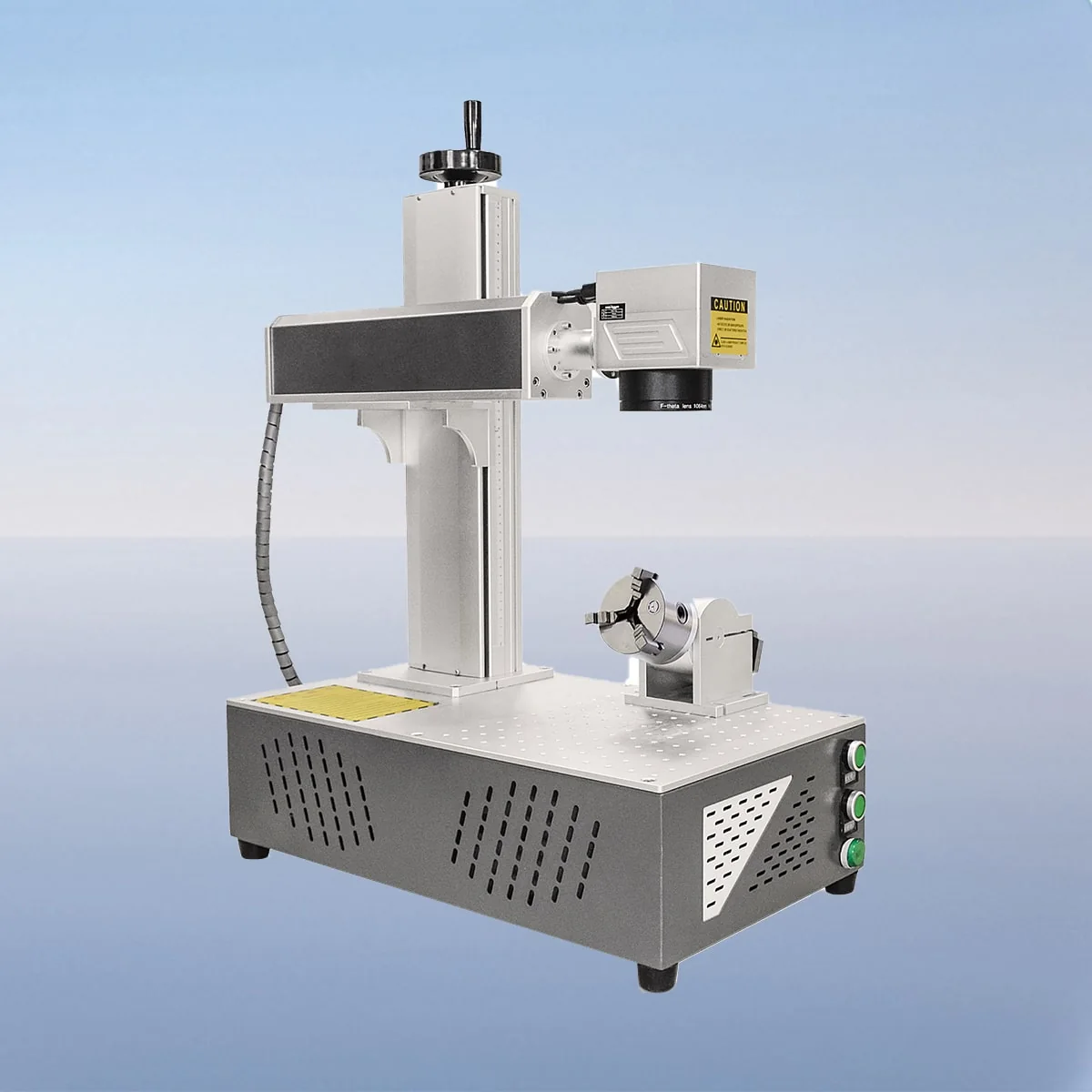
Laser Marking Machine
VIM60FP is the 60W portable fiber laser marking model between the 50W and 70W entries in the FP range. Its published wavelength is 1080nm. If several working positions are planned, document each position separately before treating portability as the answer to the whole installation question.
For every location, identify the component, marking face, available space and intended support. Keep the equipment request connected to these layouts. The source describes a portable arrangement, but it does not establish installation-free operation or show that the same setup is suitable for every proposed workplace.
| Specification | VIM60FP |
|---|---|
| Laser Power | 60W |
| Laser Wavelength | 1080nm |
| Making Range | 110*110mm, 200*200mm |
| Laser Generator | Raycus, IPG |
| Minimum Line Width | 10 Microns |
| Minimum Characters | 0.15mm |
| Usage Environment | Clean and Dust-Free or Dust-Less |
| Graphic Format Supported | bmp, jpg, gif, png, tif, ai, dxf, dst, plt, etc |
| Laser Module Life | >100000 Hours |
Configuration options vary by model. Confirm the final specification, selected components and operating requirements with your quotation.
The described components include a fiber generator, air cooling device, galvo scanner, field lens and red dot pointer. The pointer gives a visible positioning reference. Actual equipment dimensions, weight and connection requirements should be requested where they determine how the unit can be moved and supported.
The control system provides setting adjustments, configuration and monitoring. These functions give a basis for discussing operation at each location, without implying automatic recognition of the new workstation. No universal recipe library, automated setup sequence or named integration interface is specified for this model.
Minimum Line Width is listed as 10 Microns and Minimum Characters as 0.15mm. The latter is a character dimension. The table does not provide a continuous operating duration or demonstrate that every proposed graphic retains the same result after moving the equipment to another location.
Prepare a separate job record for each component and working position. Include the exact substrate, surface treatment, finished graphic dimensions and mark location. These are proposed requirements, not a compatibility list or evidence of a completed trial with your material.
Show where the component is supported and how it occupies the available space. If the same artwork is used at several positions, retain one revision reference and note the placement differences. This is a suggested way to organise the enquiry, not a claim that the machine manages locations or revisions automatically.
The two listed marking ranges are 110*110mm and 200*200mm, with Raycus and IPG as generator choices. Ask the supplier to identify the actual lens and source alongside VIM60FP. Any proposed change of field or accessories should remain visible in the configuration list for each planned job.
Graphic formats include bmp, jpg, gif, png, tif, ai, dxf, dst and plt. Submit dimensioned files and location drawings together. Request the supplied connections and operating requirements before arranging a move; portable does not mean battery powered or rated for outdoor use.
The source specifies a clean, dust-free or low-dust environment. Check that condition at every proposed position. Its interlock description stops the machine when a safety door or panel opens, without defining complete site protection. The >100000 Hours Laser Module Life value is not a warranty for the equipment or its use at multiple locations.
VIM50FP and VIM70FP are the adjacent 50W and 70W entries. VIM60FP is listed at 60W and 1080nm; the table does not rank these choices for every proposed job.
Provide a layout for each location with component support, available space and the intended marking face. Identify any changes in artwork or component presentation instead of assuming the locations are equivalent.
No outdoor rating is established. The source specifies a clean, dust-free or low-dust environment, and actual electrical, support and protection requirements still need to be confirmed for the installation.
Keep each artwork revision with its intended dimensions, field choice and placement drawing. This is a buyer's documentation practice; an automatic version or location-management function is not specified here.
The source identifies opening a safety door or panel as the trigger. Confirm how the offered equipment implements that action and review the remaining protection needed at each intended working position.
Compare the VIM-FP Laser Marking Machine series
Share your material, dimensions and process. Start a conversation about the right configuration.