What identifies the VIM20FD model?
Its published power is 20W and its wavelength is 1080nm. It uses the desktop VIM-FD arrangement and sits below the next listed model, VIM30FD at 30W.

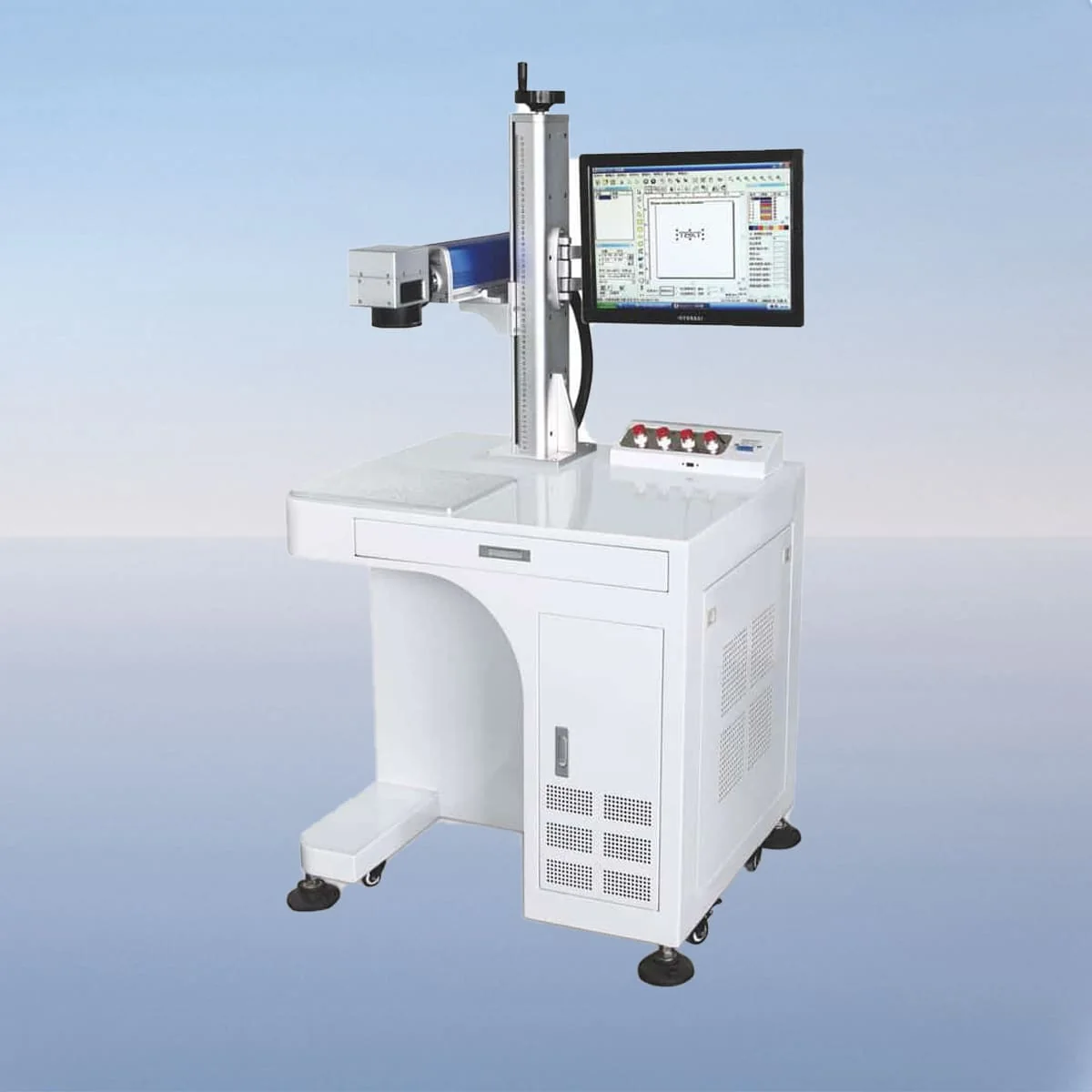
Laser Marking Machine
VIM20FD is the 20W desktop fiber laser marking model in the VIM-FD series. The published wavelength is 1080nm. It is the lowest power entry in a family that also includes 30W, 50W, 60W, 70W and 100W models.
For a job involving a small graphic or short text, begin with a drawing at the intended finished size. That is a way to prepare the enquiry, not a claim that 20W is automatically the right power for small details. Show the graphic boundary, its position on the component and the appearance you need to assess.
| Specification | VIM20FD |
|---|---|
| Laser Power | 20W |
| Laser Wavelength | 1080nm |
| Making Range | 110*110mm, 200*200mm |
| Laser Generator | Raycus, IPG |
| Minimum Line Width | 10 Microns |
| Minimum Characters | 0.15mm |
| Usage Environment | Clean and Dust-Free or Dust-Less |
| Graphic Format Supported | bmp, jpg, gif, png, tif, ai, dxf, dst, plt, etc |
| Laser Module Life | >100000 Hours |
Configuration options vary by model. Confirm the final specification, selected components and operating requirements with your quotation.
The desktop configuration describes a fiber laser generator, air cooling, a galvo scanner and a field lens. A red dot pointer provides a visible reference for material and marking-area positioning. It is a positioning aid; automatic focusing or correction is not established by that description.
The parameter table lists a minimum line width of 10 Microns and Minimum Characters of 0.15mm. The latter is a character dimension, not a character count. Keep these published fields separate from the question of whether your particular font, graphic or surface will meet the required appearance.
The control system allows adjustment of marking speed, power and frequency. No numerical frequency range is assigned here. A useful discussion connects the intended graphic and material with the offered control arrangement, instead of treating an adjustable parameter as an automatic process recipe or a guaranteed result.
Metals, plastics and ceramics are named in the original product description as intended marking materials. Specify the actual substrate and surface finish for VIM20FD. Include any coating and the location of the mark; the material categories do not demonstrate performance on every grade or a completed trial on your part.
Provide both the artwork file and a dimensioned view of the component. Identify fine lines, text height and details that must remain visible. If the graphic is supplied in several versions, label the intended version and explain any changes in size or content so the configuration discussion uses the correct drawing.
The published marking-range entries are 110*110mm and 200*200mm. Ask which field lens and range are proposed with VIM20FD; listing two choices does not establish that both optical setups are supplied. Raycus and IPG are the named generator options, so identify the selected source in the same equipment schedule.
Supported graphic formats are listed as bmp, jpg, gif, png, tif, ai, dxf, dst and plt, among others. State the file type you will provide and its intended dimensions. A supported extension does not replace a clear drawing or establish how every imported graphic will be prepared in the offered interface.
The table specifies a clean, dust-free or low-dust environment. The configuration describes an interlock that stops operation when a safety door or panel opens. Review the actual installation and operating instructions; the published module-life field of >100000 Hours is not a whole-machine warranty or a measured service life for your workplace.
Its published power is 20W and its wavelength is 1080nm. It uses the desktop VIM-FD arrangement and sits below the next listed model, VIM30FD at 30W.
No. The Minimum Characters field describes a character dimension. It does not state how many characters fit in a graphic or guarantee readability on every material and finish.
The table lists 110*110mm and 200*200mm as range choices. Request the selected lens and field with the quotation; do not assume that both optical configurations are included.
Provide the original artwork, its finished dimensions, the intended location and the actual material and finish. Identify the details that matter to the required appearance rather than relying on a file extension alone.
It provides a visible positioning reference for the material or marking area. The source does not establish automatic focusing, automatic correction or a tested placement accuracy from that component.
Share your material, dimensions and process. Start a conversation about the right configuration.