How do VIM20FD and VIM30FD differ?
VIM20FD is listed at 20W and VIM30FD at 30W. Both share the 1080nm wavelength and the series' published field choices; the proposed generator and optical setup should also be identified.

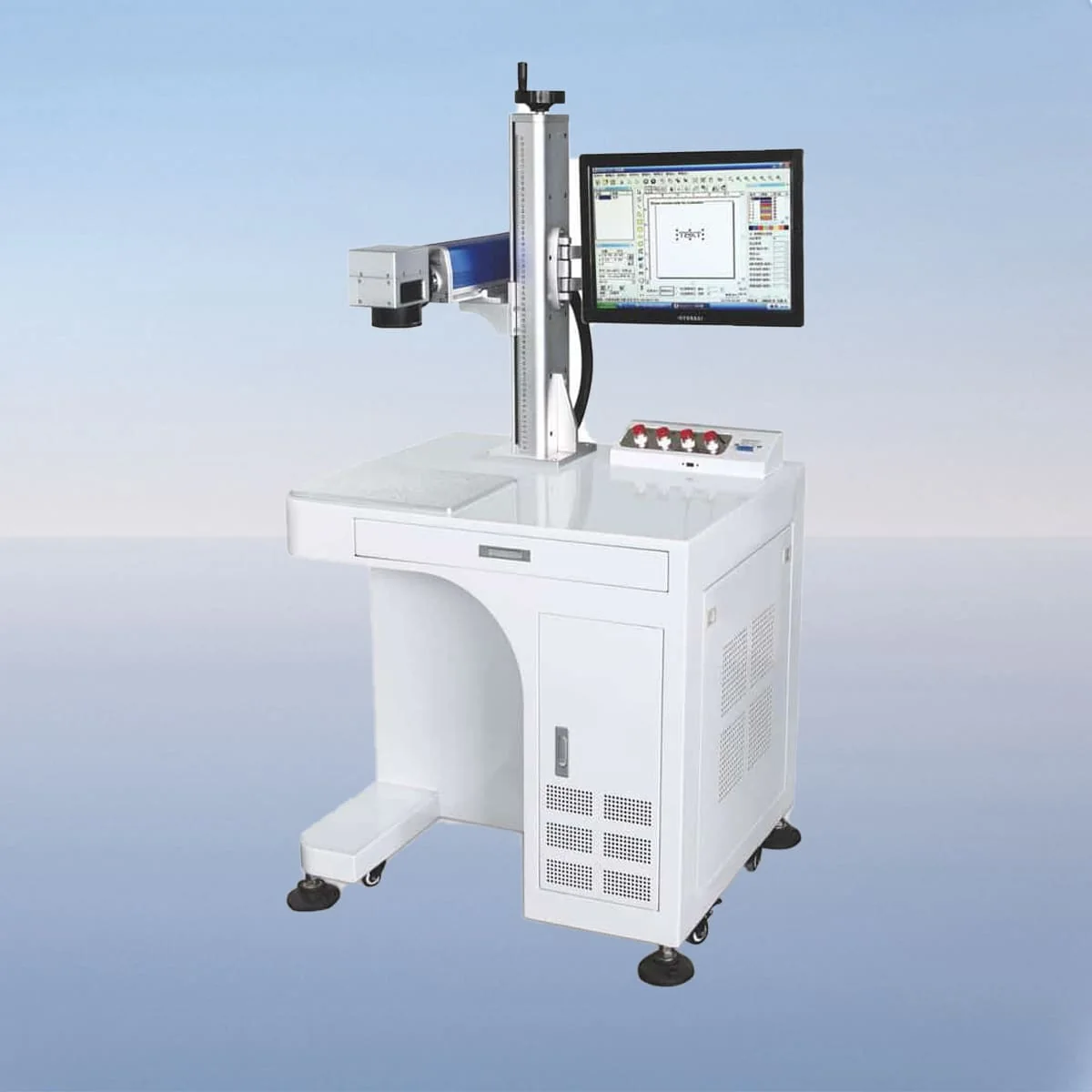
Laser Marking Machine
VIM-FD is a desktop fiber laser marking machine series with six models from 20W to 100W. The configuration includes a fiber generator, air cooling, a galvo scanner and a field lens, with a red dot pointer for visible alignment. The published wavelength is 1080nm throughout the family.
The desktop arrangement is suited to discussing a defined marking station: where the workpiece rests, where the mark belongs and how the operator accesses the controls. Two marking fields are listed, 110*110mm and 200*200mm. Put the intended artwork dimensions beside those field choices rather than treating the overall object size as the marking area.
Choose an individual model below to view its complete technical specification. The series overview shows selected parameters for comparison.
VIM20FD and VIM30FD provide the 20W and 30W entries. VIM50FD, VIM60FD, VIM70FD and VIM100FD add 50W, 60W, 70W and 100W. Raycus and IPG are the named generator options. Identify the selected power and generator in the proposed configuration so the model name is accompanied by the actual source choice.
The control system allows adjustment of marking parameters including speed, power and frequency. The galvo scanner and field lens are separately listed optical components. A control demonstration should use the proposed artwork and field, allowing the discussion to cover job settings and positioning around the same intended task.
A minimum line width of 10 Microns and minimum character dimension of 0.15mm appear in the specification. The character value is a size, not a count of characters. Keep the artwork's own dimensions and legibility requirements visible; these published fields do not define the result on every surface.
The source names metals, plastics and ceramics as marking applications. Identify the actual material and surface finish when presenting a job. A clear enquiry includes the mark content, dimensions, location and required appearance. Where more than one substrate is involved, distinguish the parts so a single broad material description does not hide different requirements.
For repeated desktop loading, show how the part is supported and which edges locate it. If the mark is small but the object is large, include both sets of dimensions. This helps define the physical station separately from the marking field and gives the visible red dot positioning aid a specific reference to work with.
Supported graphic formats include bmp, jpg, gif, png, tif, ai, dxf, dst and plt. Supply the artwork in a named format at the intended size, with the required mark position on a part drawing. Identify content that changes between jobs so the control review can address your actual file and setup needs.
The usage environment is described as clean and dust-free or dust-less. Air cooling and an interlock that stops the machine when a protective door or panel opens are also described. Obtain the operating and installation instructions for the selected arrangement; these component descriptions do not replace a review of the completed workstation.
The table publishes a laser module life entry of greater than 100000 hours. Treat it as the stated module field, distinct from a warranty or a measured service life for your application. For a complete equipment schedule, record model, generator, marking field, optical configuration and workstation requirements alongside the job information.
VIM20FD is listed at 20W and VIM30FD at 30W. Both share the 1080nm wavelength and the series' published field choices; the proposed generator and optical setup should also be identified.
The table gives 110*110mm and 200*200mm. Compare them against the intended mark dimensions and confirm the offered field; the overall workpiece size is a separate installation consideration.
It is the published minimum character dimension. It does not describe a character count or establish guaranteed legibility on every material and surface finish.
The source describes control of speed, power and frequency. Review the offered system using your artwork and required result rather than assuming a preset process for every job.
No warranty term is established by the greater-than-100000-hours table field. Request the actual warranty and service terms separately for the equipment being proposed.
Share your material, dimensions and process. Start a conversation about the right configuration.